I am making a lot of progress on my levels. The texture has really made my level grow and things are starting to come together at last! Here is a batch full of screenshots~
Sunday, November 22, 2015
Wednesday, November 18, 2015
Documentation
Before you put your file in the generator, you want to make sure your images are of high quality. Make sure it's at a .tga file with 32 resolution. For the trace generator to work, click on the open floating file chooser and select the 2D image you want the program to trace. This will import your 2D image onto the program, but it still needs to be traced itself. So click on the arrow next to the tracer model and select the 2D image you put in from the Put Image file. You can select whether you want you pop up to have a fold or cut out type on and can adjust the paper thickness. When you are satisfied with what you have, select where what folder you would like to put your output file and the fileout name.fbx. Then just click Render FBX and you have your FBX file!
In unreal, import your FBX file. Make sure you check import texture, then make your texture into a material. Then put the material you just created on your static mesh that you imported and Voila!
Saturday, November 7, 2015
UPdate: Sorryz
I've been a bit sick lately so I haven't been feeling too good lately with all this sudden rain. My things are textured, I mean it just uses the alpha channels in the .tif files. I just need to go export the file into the game engine and adjust them as needed to cover the whiteboxing. Hopefully I can make it on Sunday so I can post something in the board before the due date.
Monday, October 19, 2015
Checklist
To keep myself on track, just a small checklist, since most of it will be drawn and just traced from Houdini, I need to keep organized.
clock(on a separate layer I'll have the clock handles show it at different times
RRH
-grass
-Fence(wood, brown)reuse
-Bed(reuse)
-Closet(reuse)
-wolf(stylized as a plush)
AIW
-huge plants/grass/shrooms
-flowers
March Hare
-courtroom podiums
-maze garden(grass/green)
Cinderella
-kitchen stuff
-beads
-sash
-clock on castle
-Castle(flat)
-Interior of Castle(modeled)
-stairs(royal staircase Procedurally build)
-royal curtains
-Pumpkin
-sewing stuff to pick up(event)
-Dresss
-glass slipper
stickers(shaped as stars, works as pull tabs)
**UPddate 2.0 11/5/2015 CInderella stuff posted last night along wiht locks
Friday, October 16, 2015
Taxonomy Research
Rules which govern your asset
Variations to your asset
Parameters so far which you use to drive the asset, as well as inputs
A video of your asset so far
Ultimately most of my assets will primarily be cutouts of my 2D illustrations and created procedurally in Houdini. This tree generator will serve as a preliminary of what my walls and how my other materials will be created.
Tree Tracing Generator
-Reasonable size of trees, so not too small or big(unless it's the Alice level),
-4-5 different stylized trees, options to switch between folds on the bottom or a cutout of the silhouette.
-Usually children illustrations are very colorful and stylized
-"“For drawing, it’s the the stroke. A painting is a string of strokes.", so maybe have thick lineart for the system to able to carve out the cards, but most of the illustrations have a painterly or sketch feeling to them.
-Flat shaped in the 3D world,
http://howtobeachildrensbookillustrator.com/speak-the-language-childrens-book-illustrator-e-b-lewis-shares-his-emotional-work-and-words/
Image Reference Variations
Minimal Representation? -Not required as much in this case
-flat card(square) shapes to get the base shape
-I guess when the system is picking out the geometry, it would be just lines or curves the draw the branches. I'm guessing I have to make attributes on them or something to detch how to carve out the trees?
Two Parameter:
-Height variation
-Folds or Cutout
The generator could probably with used with other carve outs of my 2D illustartion, so I plan to make the walls and other things that could potentially be procedurally created.(walls, cards, chandelier(cinderella), clocks, and other plants
Thursday, October 8, 2015
Modeling modeling
I started working on the Mad Hatter in Maya, and the Rabbit as well. Still working on digitial assets to create a carve system out of handdrawings so that it'll be easier to create procedurals. It's a long list to go.
Notes: other things to do in Maya, Wolf, Dormmouse, Cheshire Cat(Just his head tho(
Saturday, October 3, 2015
What materials are used for pop up books?
More research on how to make these things!
Origamic Architecture
https://www.youtube.com/watch?v=Y0d3SG5pjzc
Texturing
-paper/cardboard textures overlayed with your color palette
-Need papery textures
http://www.wikihow.com/Make-a-Pop-up-Book
Paper materials
3D pop up
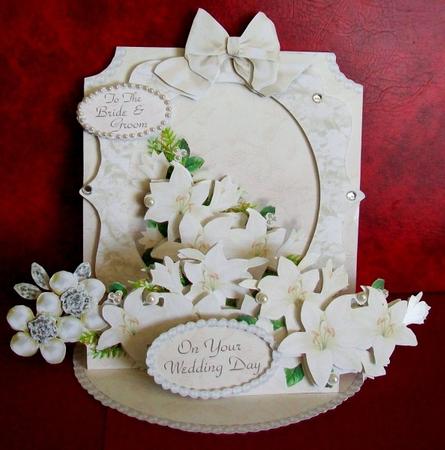
Apparently all you do is fold the paper, make snips, then glue the 2D drawing to the snip. Could be a cool idea to have some pop up animations.
3D flower
Cool video on a 3D card. Could possibly be used as a reference when I make those flower in Alice.
Origamic Architecture
https://www.youtube.com/watch?v=Y0d3SG5pjzc
Texturing
-paper/cardboard textures overlayed with your color palette
-Need papery textures
http://www.wikihow.com/Make-a-Pop-up-Book
Paper materials
- Construction paper
- Cardstock
- thin poster paper
- scrap book paper
3D pop up
Apparently all you do is fold the paper, make snips, then glue the 2D drawing to the snip. Could be a cool idea to have some pop up animations.
3D flower
Cool video on a 3D card. Could possibly be used as a reference when I make those flower in Alice.
Cool to use for Cinderella!
(Thought this was cool)
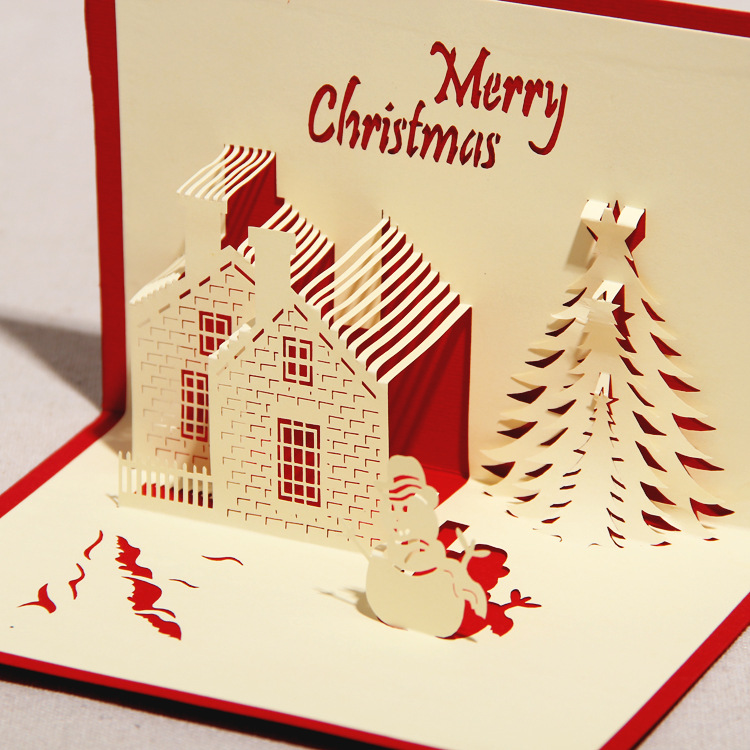
Maybe I could this for houses
Haha I even tried to make one too
Subscribe to:
Posts (Atom)